Insights & Metrics
The Insights & Metrics panel, located in the application view of the VIP Dashboard, provides insights into the performance, health, and usage of an application.
Access data related to an environment’s performance by selecting one of the displayed tabs labeled:
- HTTP: The performance of responses to HTTP requests.
- Resource Usage: The performance of an environment’s infrastructure-level resources.
- Database: The size and health of an environment’s database.
- Cache: Metrics for cache utilization by an environment.
For all data displayed throughout all views of the Insights & Metrics panel:
- Timestamps are formatted in Coordinated Universal Time (UTC).
- Users can interact with available settings to modify the time frame and format of the data that is displayed.
Access
Prerequisites
To access the Insights & Metrics panel, a user must have at minimum an Org member role or an App read role for that application.
To access the Insights & Metrics panel:
- Navigate to the VIP Dashboard for an application.
- Select “Performance” from the sidebar navigation at the left of the screen.
- Select “Insights & Metrics” from the submenu.
The Insights & Metrics panel is environment-specific (e.g., production, develop). A different environment type can be selected from the dropdown at the upper left of the VIP Dashboard application view.
Display data for a specific time period
The available periods of time that can be selected differs between production environments and non-production environments.
- Production environments: Data from the “Last 3 days” (72 hours) is displayed by default, and data is available for up to the “Last 90 days”.
- Non-production environments: Data from the “Last 60 minutes” is displayed by default, and data is available for up to the “Last 24 hours”.
Historic data up to 180 days can be accessed by configuring a custom date range in the section of the datepicker labeled “Custom Date Range“.
Datepicker time selection
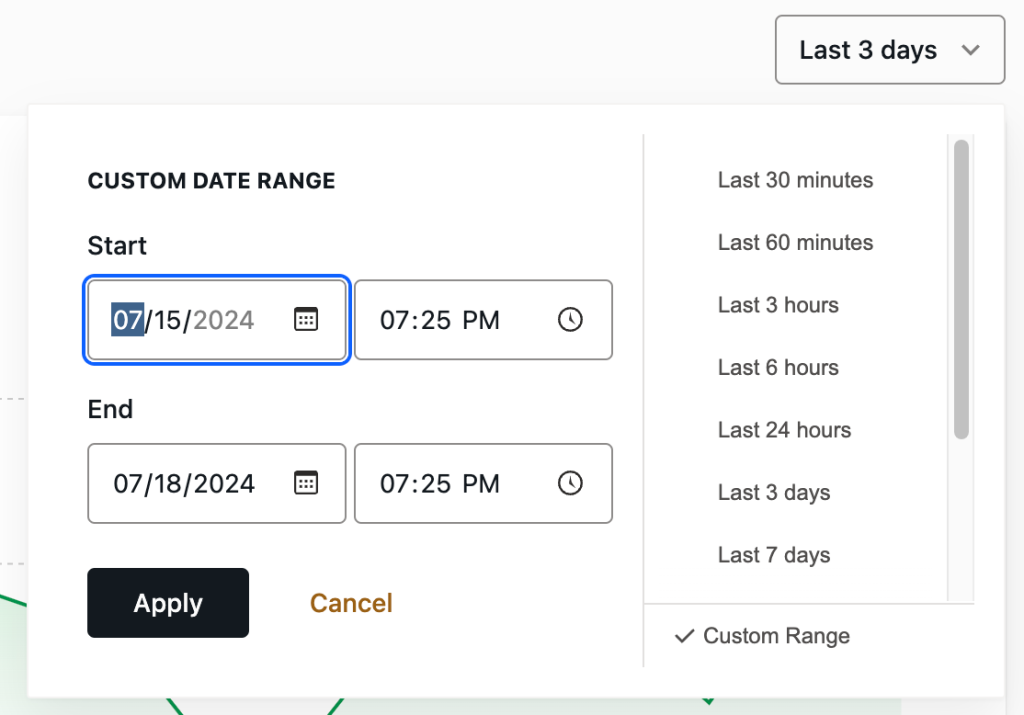
A user can select a preset list of time periods or enter custom time periods for environment data in a datepicker. To access the datepicker, select the field in the upper right of the panel that displays timestamps for the date range of the currently displayed data.
For example, a user can select from a displayed list of preset windows of time for the “Last 30 minutes”, or up to the “Last 90 days” for a production environment.
More specific periods of time can be selected by entering dates in the fields labeled “Start” and “End” in the section of the datepicker labeled “Custom Date Range“. The range of data displayed can be further specified by entering times (in UTC) for dates entered. Select the button labeled “Apply” to save the settings and refresh the displayed data.
Manual time selection
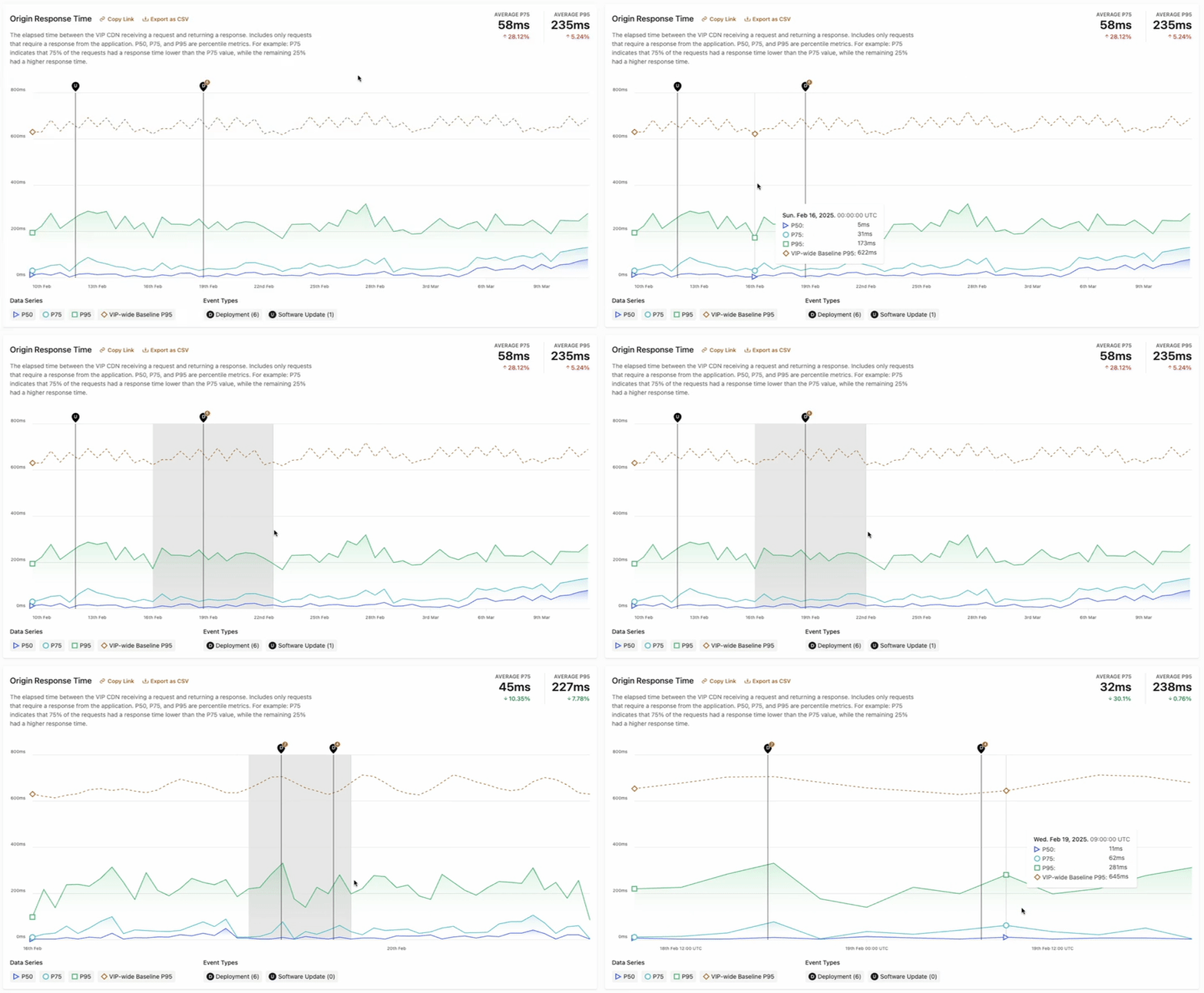
As an alternative to the datepicker, a time range can be manually selected within data that is displayed in chart format. Using a mouse, select a timestamp within the x-axis of the chart. Hold the mouse button down while dragging across to a second timestamp along the x-axis, and release the mouse button. The data displayed within the chart will refresh and display only the data that exists within the first and second timestamps that were selected.
Display data as a chart or a table
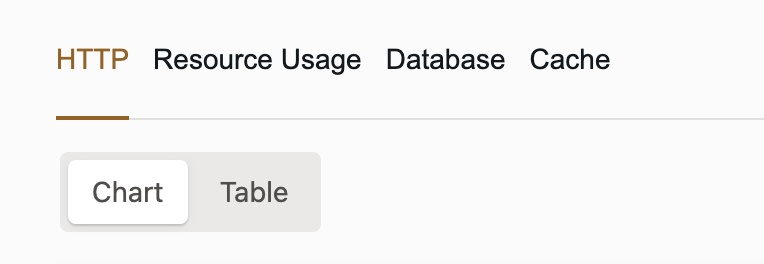
All data in the Insights & Metrics panel can be displayed in either a chart format (default) or a table format. Select either the button labeled “Chart” or “Table” at the upper left of the Insights & Metrics to display data in the preferred format.
Share and export data
Each chart and table displayed in the Insights & Metrics panel can be shared with other people who have access to the Insights & Metrics panel in the VIP Dashboard for a particular application.
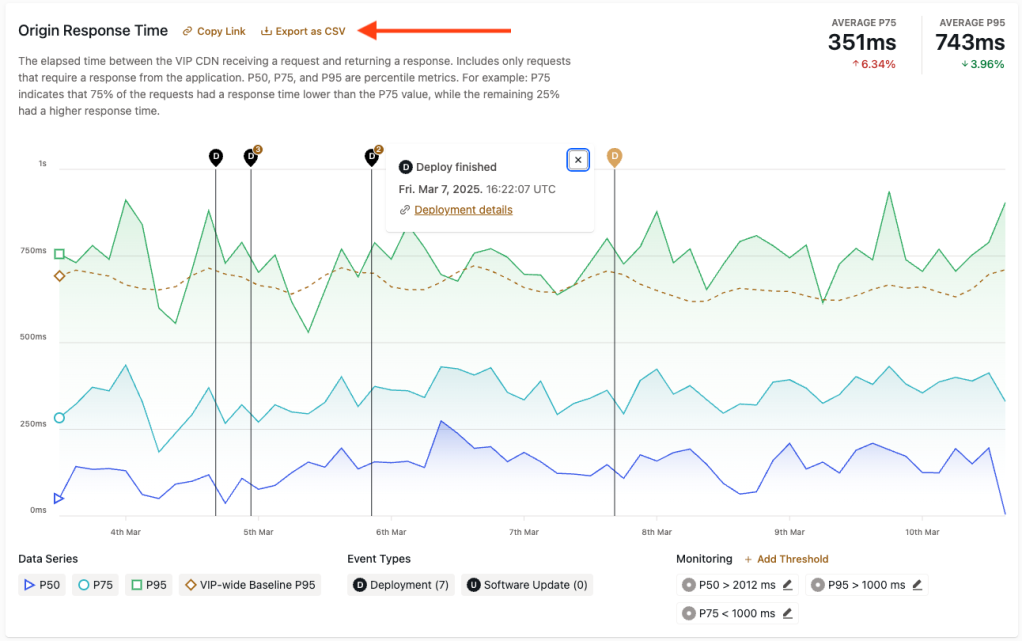
- Copy Link: A direct link to a specific chart or table in the Insights & Metrics panel can be added to a user’s clipboard by selecting the button labeled “Copy Link” for that chart or table.
- Export as CSV: The data behind a specific chart and table in the Insights & Metrics panel can be exported as a CSV file by selecting the button labeled “Export as CSV”. The exported data will match the data within the selected date range of that chart or table at the time the file was exported.
Data Series
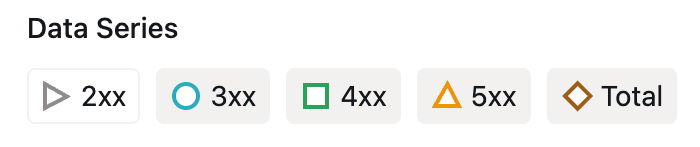
When data is displayed in chart format, a legend for the types of displayed data is located at the bottom left of the chart. The legend provides a reference for identifying the types of data that are included in the chart, as well as providing the ability to toggle those data types on and off.
For example, an “HTTP Origin Response Codes” chart displays a Data Series legend item that has a green square to the left of “2xx”. This indicates that data in the chart represented by a green line correlates with “2xx” responses.
The user can select and toggle a Data Series legend item to omit or include its correlating data in the chart.
When a data type is omitted, its icon will have a colored outline and no fill.
Event Types
Prerequisites
To access Event Types in the Insights & Metrics panel, a user must have at minimum an Org member role or an App write role for that application.
Events that occur on an environment that might correlate with performance are indicated by Event Types.
Event Types include:
- Code deployments
- Data syncs from production to non-production environments (only indicated in graphs within the tab labeled “Database” for non-production environments)
- Performance metrics anomalies
- Software version updates
- SQL database file imports (only indicated in graphs within the tab labeled “Database”)
Table format
When data is displayed in table format, Event Types that occur within a selected date range will be displayed in the column labeled “Events”. The displayed Event Type is hyperlinked and can be selected to access more information about the event in a related VIP Dashboard panel.
Chart format
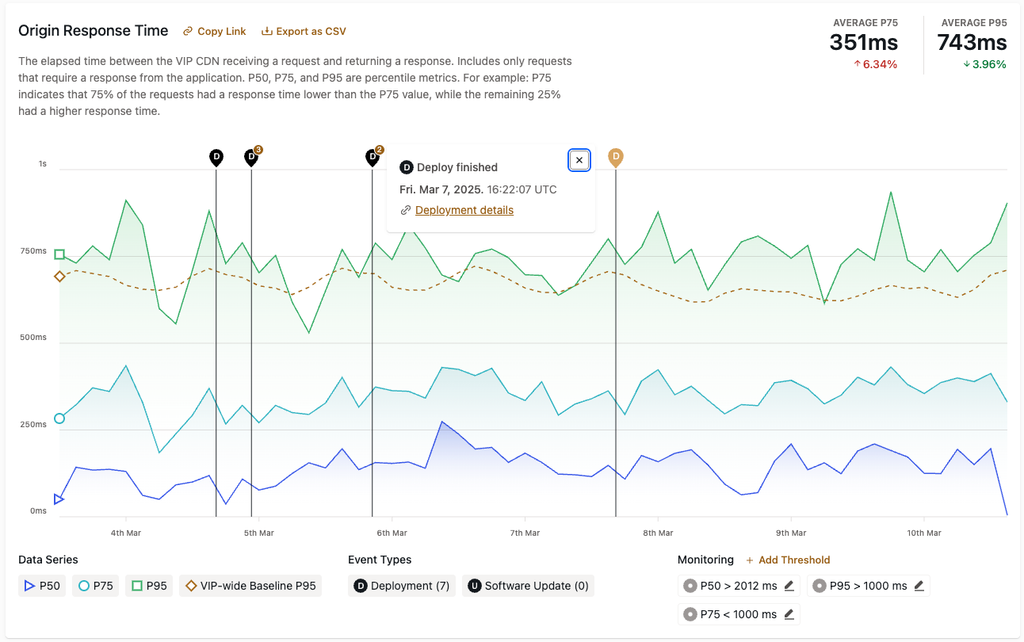
Within a chart, a user can select an Event Type icon to access more information about the event. Selecting an Event Type reveals the event’s date, timestamp, and description, and a link to more detailed information.
- Code deployment events are represented by a capital “D” within a blue circle.
- Software version update events are represented by a capital “U” within a green circle.
- SQL database import events are represented by a capital “I” within an orange circle.
- Data sync events are represented by a capital “S” within an orange circle.
Legend
If Event Types occur within the range of time that is currently displayed in a chart format, a legend for those Event Types will be located below the chart along with the number of those events displayed within the selected time range. A user can select and toggle an Event Type in the legend in order to omit or include them within the chart.
Link to New Relic dashboard
For environments that have New Relic enabled, a button labeled “View Application in New Relic” will be displayed in the upper right of the panel. Select the button to access the environment’s New Relic dashboard and investigate more deeply into response times for various URL routes. New Relic can also be used to identify anomalies such as slow queries, slow remote requests, or generally slow URL routes.
Last updated: July 14, 2025