Share a Draft
Share a Draft creates a private preview link for a single draft, so a reviewer without a WordPress account can read the post as it will look when published. Each link expires automatically, and the post author can see, copy, and revoke the links created for a draft.
Reviewers such as legal teams, agencies, and other outside stakeholders open the link in a browser. The reviewer sees the same layout exactly as it will be published.
Share A Draft is available to all WordPress VIP customers through the Integrations Center.
Also in this section
Prerequisites
To create a preview link, the following must be in place:
- Share a Draft must be enabled for the application. See App Integrations for how integrations are enabled for an application and environment.
- The site must run WordPress 6.9 or later and PHP 8.2 or later.
- The author must be able to edit the post. Any user who can edit a post can create and revoke links for it.
Limitations
- Publishing or trashing a post discards its links, because a published post no longer needs one and a trashed post should not stay reachable. Drafts, pending posts, and scheduled posts keep their links.
- A link cannot be changed after it is created. To change how long a link lasts or how many people can open it, revoke the link and create a new one.
- The full link is shown only once, when it is created. The plugin stores only a hashed form of the link, so a lost link cannot be recovered. Create a new link instead.
Creating a preview link
To create a link for a draft:
- Open the draft in the block editor.
- Open the post sidebar and find the Share a Draft panel.
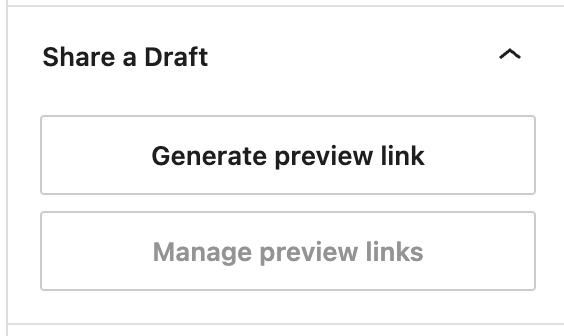
- Select Generate Preview Link
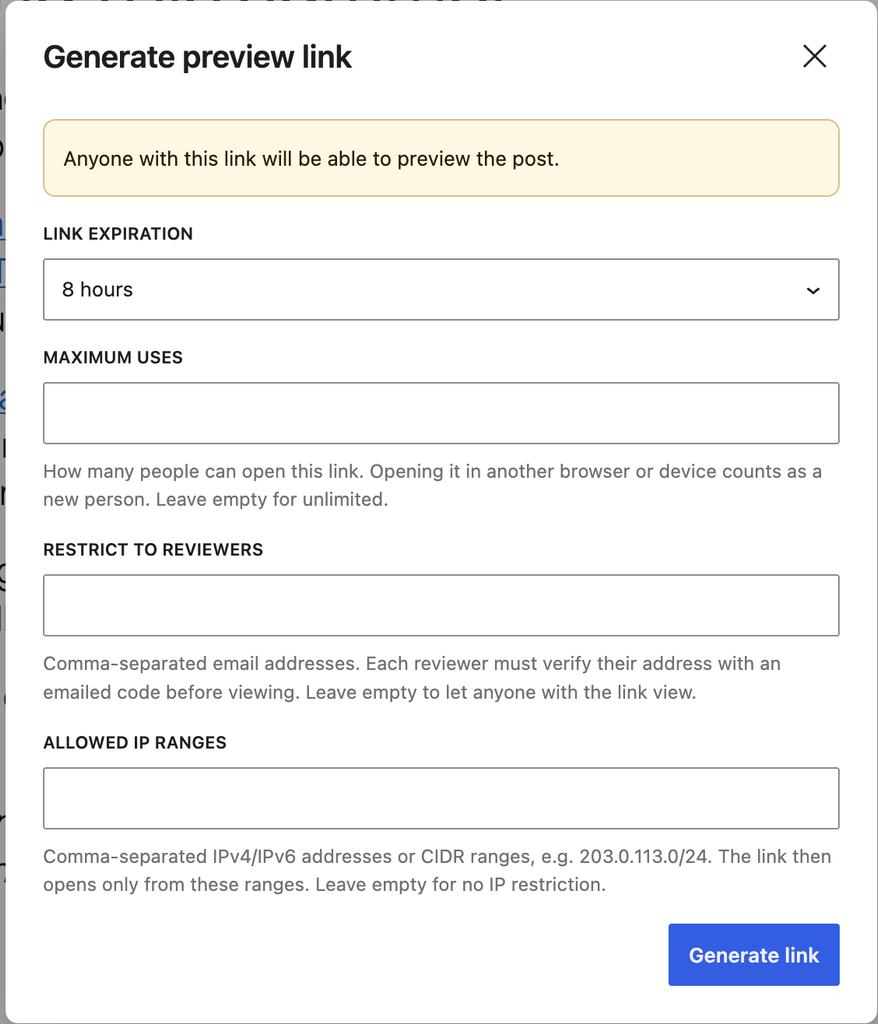
- Under Link expiration, choose how long the link should last. The default is 8 hours.
- Optionally, set Maximum uses to limit how many people can open the link. See Advanced link controls for this and other restrictions.
- Select Generate preview link.
- The link is copied to the clipboard automatically. To copy it again, select Copy link.
The link is a standard WordPress preview URL with an added token. The link will not be displayed again.
What reviewers see
A reviewer who opens a valid link sees the draft without logging in. Nothing in the link gives the reviewer access to the WordPress Admin dashboard or to other content.
When a link can no longer be used, the reviewer sees a short notice instead of the draft. The notice states the reason:
- The link has expired.
- The link has been revoked.
- The link has been used by the maximum number of people.
- Preview links have been paused for the site. See Advanced link controls.
A link that was never valid, or that has been deleted, returns a standard “not found” page. This keeps unpublished drafts from being discovered by guessing addresses.
Managing a draft’s links
To review the links created for a draft:
- Open the draft in the block editor.
- In the Share a Draft panel, select Manage preview links.
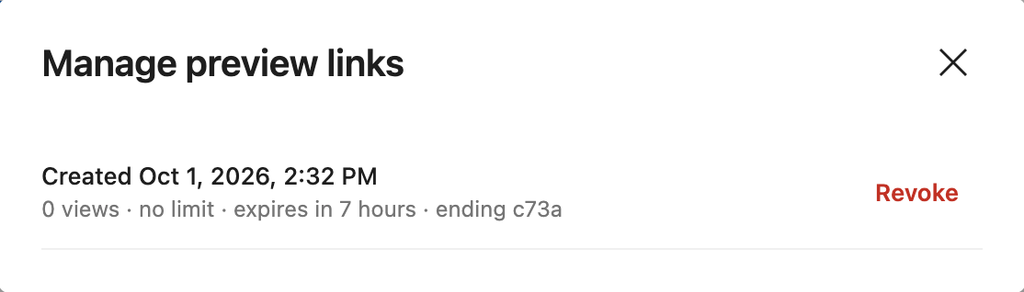
Each link shows how many times it has been used, for example “1 of 3 views”, and when it expires. Select Revoke to disable a link. A revoked link stops working immediately.
Select Generate another link to create an additional link with different settings.
Links that are no longer needed do not need to be removed by hand. Links are discarded when the draft is published or trashed, and expired and revoked links are cleaned up automatically after a retention period.
Troubleshooting
A reviewer reports that the link does not work
Open Manage preview links for the draft and check the link’s status. An expired or revoked link, or one that has reached its usage limit, cannot be reopened. Create a new link and send it to the reviewer.
A reviewer opens the link and sees a notice that preview links are paused
An administrator has paused all preview links on the site. Only an administrator can switch them back on, from the toggle at the top of the Preview Links screen. Links then work again with their original expiry and limits. See pausing every link.
The link was copied incorrectly or lost
The link cannot be displayed again after creation. Revoke the old link if it may have been shared elsewhere, then generate a new one.
A one-time link is already used up
A link limited to 1 viewer is spent by the first browser that opens it. Link previews generated by chat apps do not count, but a second browser or a private window does. Revoke the link and create a new one. See limiting how many people can open a link.
A reviewer never receives the verification code
The address entered on the link must exactly match the address the reviewer uses. Share a Draft sends a code only to addresses on the link’s list, and does not indicate whether an address is on it. Confirm the address with the author, check spam folders, and if the address was mistyped, revoke the link and create a new one. See binding a link to named reviewers.
A reviewer on an allowed network is denied
Confirm that the address in Allowed IP ranges matches the address the reviewer’s network presents to the internet. Corporate VPNs and proxies often present a different address than an office connection. Add the correct range to a new link, or ask an administrator to add it to the application’s trusted IP ranges. See restricting a link to IP addresses.
Last updated: October 21, 2026